Welcome to the GuardianDNS Beta
Thank you for joining. Follow these steps to activate Enterprise-grade Isolation on your device. This process takes less than 60 seconds.
macOS: One-Click Setup
Recommended for Mac Users. Installs the Certificate AND configures Encrypted DNS automatically.
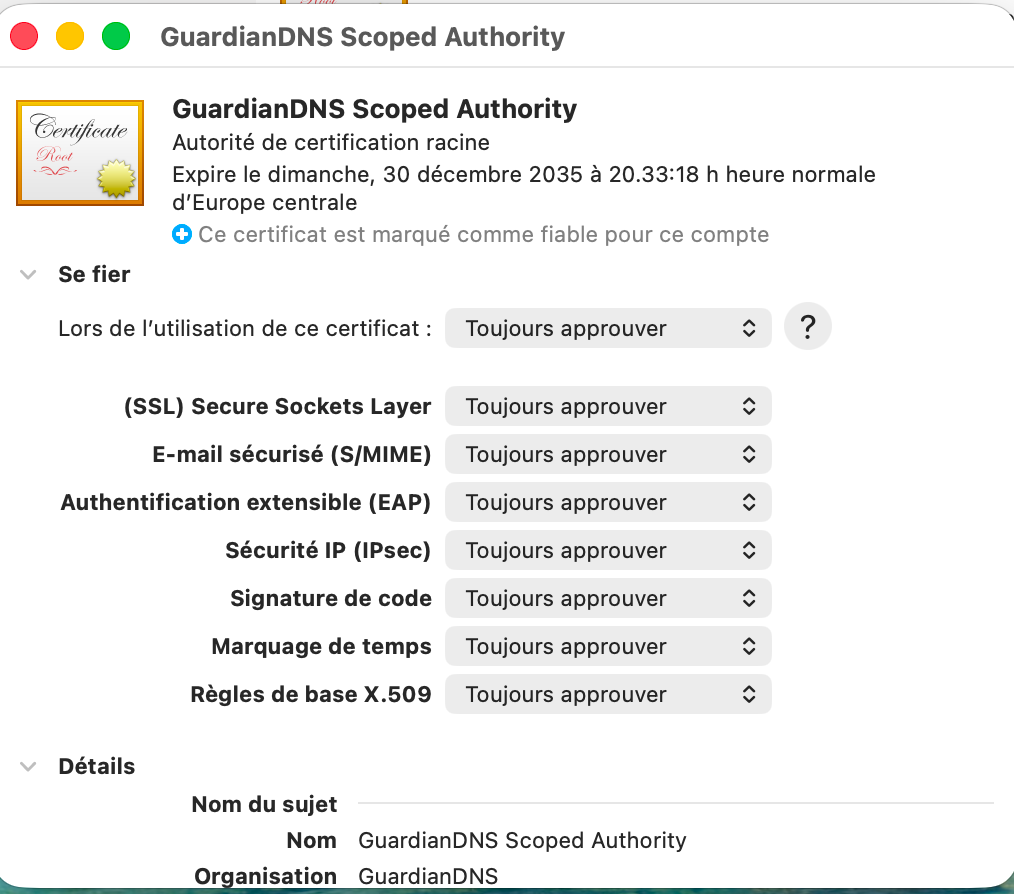
Download macOS ProfileStep 2 (Critical): Open "Keychain Access", find "GuardianDNS Scoped Authority", double-click, and set Trust to "Always Trust".
Or Manual Setup (Windows/Linux)
Download the Scoped Certificate
Download the GuardianDNS Scoped Authority certificate. This certificate is technically restricted to only work inside our secure sandbox.
Download ca.crtInstall & Trust
Windows: Double-click, "Install Certificate", choose "Local Machine", and place it in the "Trusted Root Certification Authorities" store.
Linux (Ubuntu/Debian): Copy the file to the trust store and update:
sudo update-ca-certificates
Firefox (All Platforms): Firefox uses its own certificate store.
- Type
about:configin the address bar. - Search for
security.enterprise_roots.enabled. - Set it to true.
Configure DNS
Ensure your system or browser is using the GuardianDNS resolver at the following IP:
Verify Connection
Visit any risky or manual-isolated domain. It should load with a green lock and the GuardianDNS banner.
Test with Le Monde